Save any video.
In up to 4K.
Download video, playlists and audio from over 1,000 sites — free to use, with no account and no watermarks.
Supported sites
Download from over 1,000 sites, including YouTube, TikTok and Instagram


Features
Everything you need
in one app
One downloader for the whole job — no browser extensions, no converter sites, no watermarks.
Up to 4K originals
Download the original stream, up to 4K with Pro — no re-encoding, no quality loss.
360p1080p2160pAudio-only mode
Extract audio as MP3 or M4A at up to 320 kbps.
MP3M4A320kWhole playlists
Paste a playlist or channel and every video is queued automatically.
BatchAuto-retrySubtitles included
Subtitles are matched to each video and saved as .srt files.
en.srtes.srtPrivate by design
No account, no trackers, and an optional proxy for restricted networks.
No loginProxyAny container
Video and audio are merged automatically into MP4, MKV or WEBM.
MP4MKVWEBMMembers-only links
Download videos behind a login using your own browser session — only when you allow it.
CookiesOpt-inAlways current
Regular updates keep downloads working when sites change.
Auto-updateFast fixes
Download
Native apps for
Windows and macOS.
The same features and updates on both platforms. Free to download — no account needed.
- 1,000+
- supported sites
- 10
- free downloads per day
- 3
- devices per license
Windows
Windows 10 and later
macOS
macOS 12 and later
How it works
From link to download in three steps.
No settings to learn. When sites change, updates keep downloads working.
- STEP 01
Copy the link
Grab the link to any video, playlist or track page. Members-only videos work too.
- STEP 02
Paste it into AX
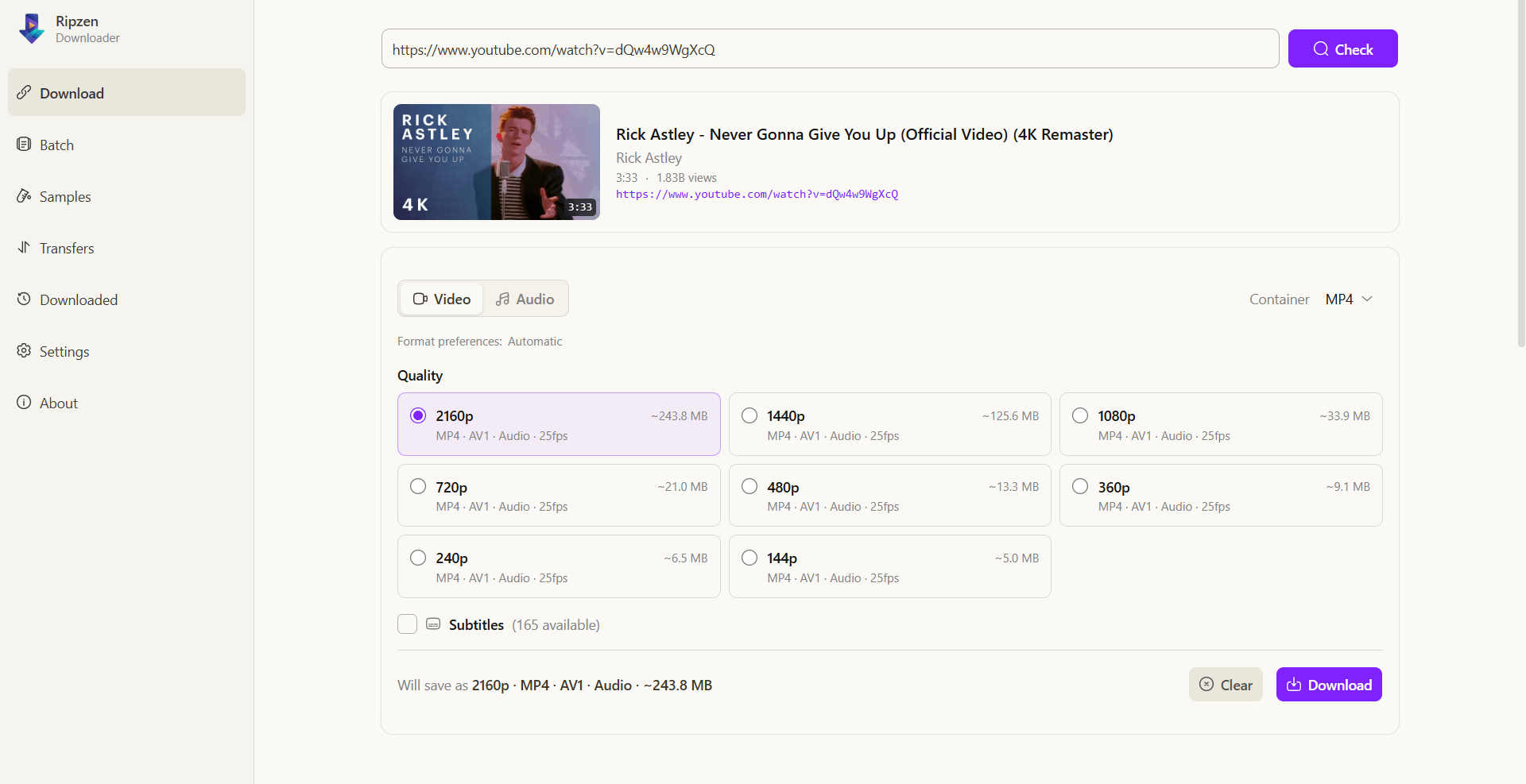
AX lists every available format and quality the moment you paste.
- STEP 03
Pick quality and save
Choose 4K, 1080p or audio-only — the queue handles the rest.
Reviews
What our users say
Feedback from people who use AX Downloader every day.
“Playlist queues just work”
I pasted a 40-video playlist before coffee. Everything was 1080p with subtitles by the time I came back.
“Perfect for batch work”
I queued a 2,000-video channel overnight and every file came down in 4K, straight from the source.
“Easier than any converter site”
No pop-ups, no watermarks, and a 320 kbps MP3 in one click. Easier than every web converter.
“Saves me hours on client work”
Subtitles land next to the video automatically. Exactly what I needed for editing.
“Clean and private”
No account, no trackers, and proxy support for my university network. Install took under a minute.
“Lifetime was a no-brainer”
Paid once for 4K and large queues. Every time a site changes, a fix lands quickly and downloads keep working.
Plans & Pricing
Start free. Upgrade when you need more.
Free forever for everyday downloads. Pro removes the daily limit and unlocks 4K and batch queues.
Free
For everyday downloads.
$0forever
No account. No credit card.
- 10 downloads per day
- Video up to 1080p
- MP3 and M4A extraction
- Subtitles as .srt files
- No watermarks
Pro
Save 25% with annual billing.
$15per year
Billed once per year. Cancel anytime.
- Everything in Free
- Unlimited downloads every day
- 4K and original-quality video
- Batch downloads for playlists and channels
- Parallel downloads with auto-retry
- Use on up to 3 devices
Lifetime
One payment, no renewals.
$20one-time
Includes every future Pro feature.
- Everything in Pro
- Every future Pro feature
- No subscription or renewals
- Supports independent development
Support
Questions, answered.
Quick answers about formats, quality and safety.
Help center
Guides, answers and support
Tutorials
Step-by-step guides, from your first download to large batch queues.
Feedback
Request a feature or report a bug — every message is read.
Video guides
Watch common workflows end to end in under two minutes.

Free for Windows and macOS
Get started in under a minute.
Free to use, with no account and no watermarks. Upgrade only for 4K and unlimited daily downloads.